>_
Comment Command
Comment operations workspace

Run every queuefrom one command surface

Comment Command brings YouTube, Instagram, reports, automation ops, and operator workflow into one workspace so teams can triage, respond, and learn without stitching tools together.

YouTube liveInstagram inbox liveAutomation Ops and reports included
Workspace is live
Threads triaged today
2.4k
Open items waiting
612
AI assists generated
37
commentcommand.app

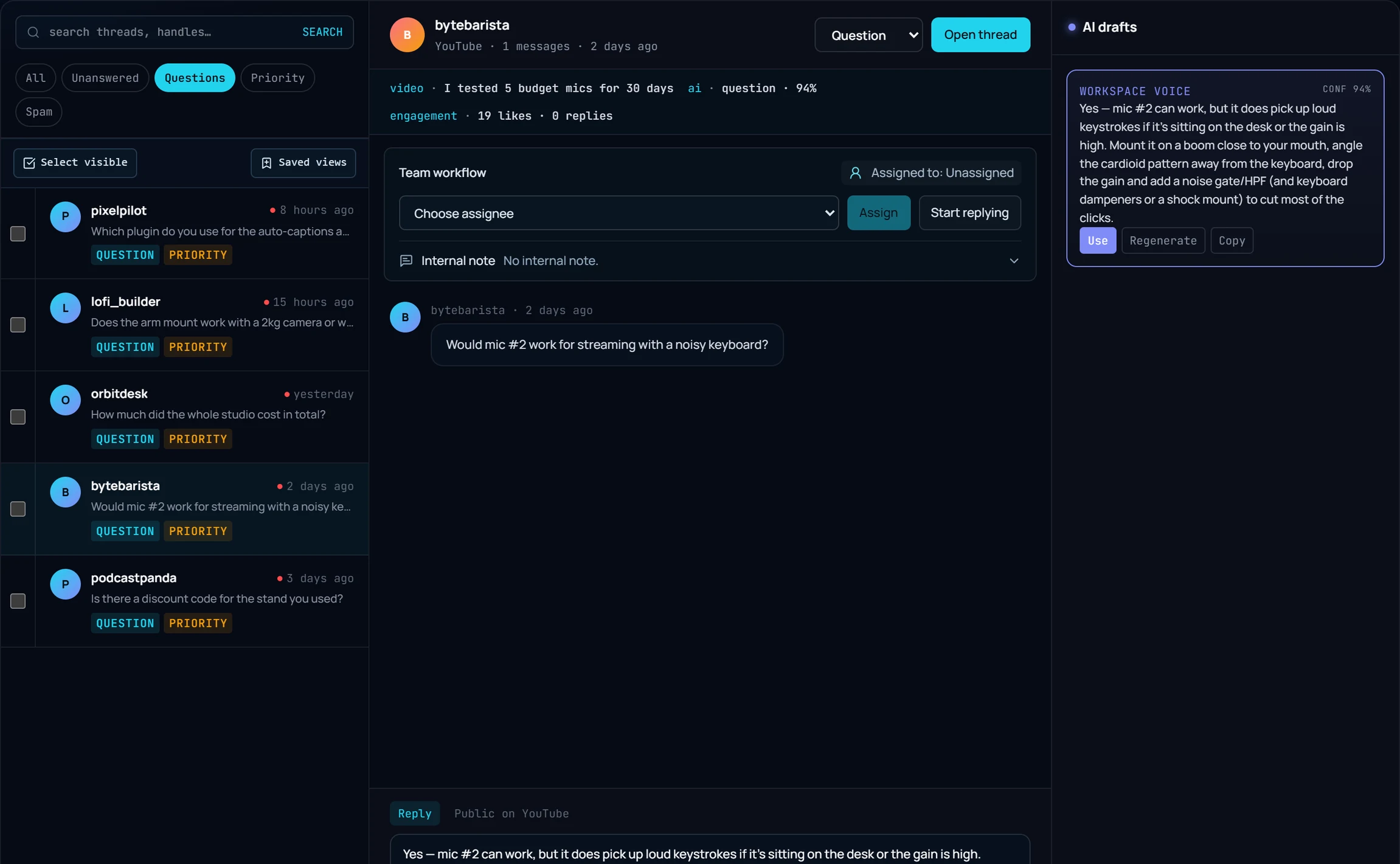
YouTube Comment Inbox

Live

Video-scoped threads, labels, drafts, and pinned replies.

C
@creatorlab
Question

Can you drop timestamps for each chapter?

Reply suggested in 14s
P
@pixelworks
Praise

This workflow saved me a lot of editing time.

Added to weekly highlights
N
@nexthour
Complaint

The audio pops at 02:17 and 04:02, can you fix?

Escalated to issue board
Detected intent
Questions + complaints
Current action
Pinned reply + team activity
Workspace is live
Threads triaged today
2.4k
Open items waiting
612
AI assists generated
37
Platform runway

One workspace, three platform lanes

Keep the app unified while the platform surfaces stay honest. YouTube is fully live, Instagram already handles real inbox work, and X stays commercial-safe as an add-on.

YouTube

Live now

Run full video-based comment operations with labels, drafts, pinned replies, exports, and reports.

  • Live inbox and video detail workflows
  • Pinned reply and activity scoped per video
  • Moderation, labels, reports, and exports

Instagram

Live

Connect Instagram Business or Creator accounts, sync comments, draft replies, post replies, delete comments, and coordinate work across the team.

  • Comment sync, media preview, and inbox shell
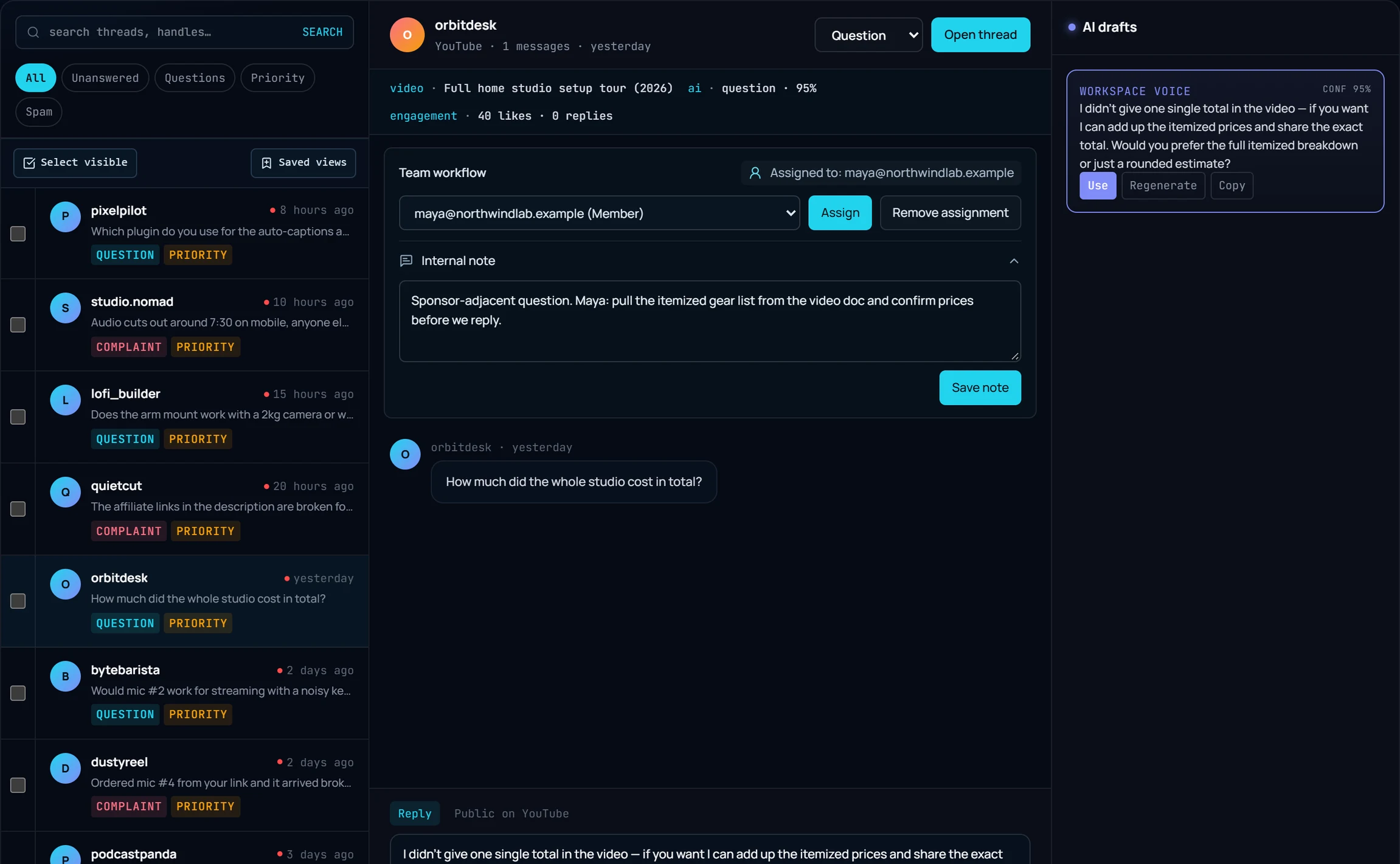
  • Reply draft, reply post, delete, assign, take, and notes
  • Production-safe reconnect and rate-limit handling

X Add-on

Add-on

Keep X optional. When enabled, it unlocks account connection, sync shell, inbox shell, reply workflow foundation, and operator handoff tools.

  • Not bundled by default
  • Connect, sync shell, inbox shell, and draft/post reply foundation
  • Held behind entitlement until demand justifies deeper rollout
Operating layers

The product works in four moves

01
Connect

Bring channels and accounts into one workspace with platform-aware access control.

02
Understand

Read comment intent in context with content title, thread history, labels, and sentiment.

03
Respond

Generate replies that match the post, comment, and language instead of generic support copy.

04
Operate

Assign, take, note, export, and report across the team without losing thread ownership.

Interface

Everything you need to go from noise to clarity.

New: YouTube Insight Engine is live

Topic Clustering

Groups similar YouTube comments to reveal recurring topics and pain points.

Smart Labeling

Automatically tags comments as Praise, Complaint, Question, Request, or Spam.

Reply Copilot

Drafts on-brand replies for top questions so you can respond in minutes.

Pinned Reply Ideas

Suggests a pinned comment that highlights the most active discussion.

Exports & Reports

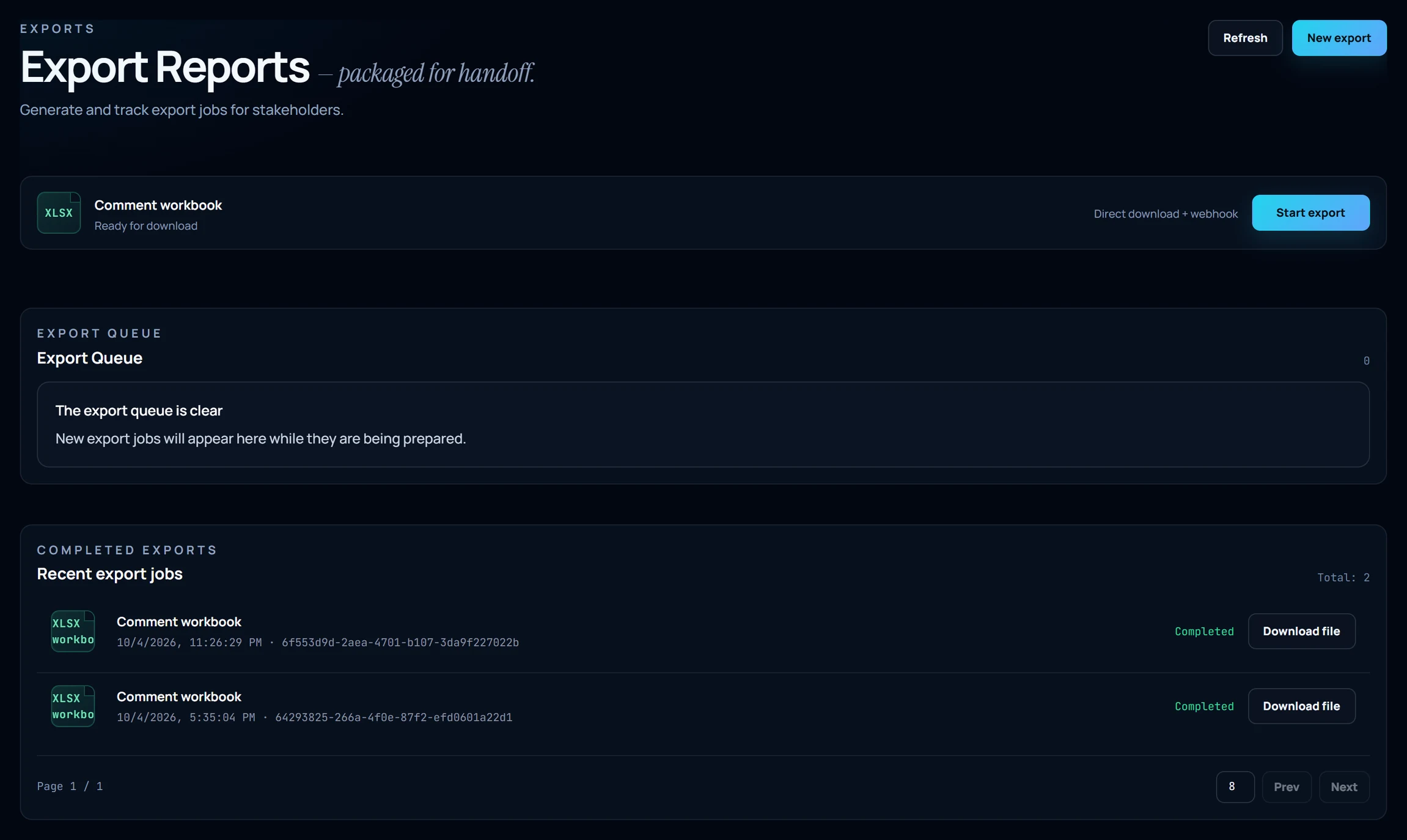
Export CSV reports with labels, summaries, and drafts for stakeholders.

Quota Guardrails

Track API usage and plan limits before you hit throttles.

Command surfaces

The product now works as one connected workspace

Inbox execution, reports, automations, and exports are first-class parts of the app, so the homepage should describe the whole system instead of one narrow use case.

Execute

Unified inbox

Review live threads, apply labels, assign owners, draft replies, and take supported platform actions from one queue.

  • Platform-aware inbox shells
  • Labels, notes, assignment, and reply assist
  • Native actions where the platform allows them
Start in the workspace
Learn

Reports and signal review

Track weekly summaries, anomaly watch, top items, and platform snapshots without rebuilding the story in spreadsheets.

  • Weekly report snapshots
  • Platform-specific top items and trends
  • Downloadable report handoff
Start in the workspace
Scale

Automation Ops

Turn on curated moderation, routing, reply assist, and alert templates with conservative safety controls.

  • Review-first or auto-execute modes
  • Template library instead of fragile custom rules
  • Execution logs and scheduled runs
Start in the workspace
Share

Exports and handoff

Move clean data into CSV, report files, and operator-ready artifacts whenever the workflow needs an outside handoff.

  • CSV and report export flows
  • Client, analyst, and operator handoff
  • Keeps insights usable outside the inbox
Start in the workspace
Guides and proof

Keep the public library, but make it secondary to the product

These pages still help with evaluation and SEO, but they now sit behind the real product story instead of defining it.

Platform runway

Compared with broader suites like Sprout Social, Hootsuite, and Agorapulse

Those products already prove there is demand for a shared social inbox. Comment Command focuses on where comment ops teams still hit friction: deeper YouTube context, execution-first Instagram handling, and a more deliberate X rollout.

YouTube
Live now

Run full video-based comment operations with labels, drafts, pinned replies, exports, and reports.

  • Live inbox and video detail workflows
  • Pinned reply and activity scoped per video
  • Moderation, labels, reports, and exports
Shared inbox tools can surface YouTube comments, but Comment Command keeps the work video-scoped so replies, pinned replies, exports, and review context stay attached to the exact video.
Instagram
Live

Connect Instagram Business or Creator accounts, sync comments, draft replies, post replies, delete comments, and coordinate work across the team.

  • Comment sync, media preview, and inbox shell
  • Reply draft, reply post, delete, assign, take, and notes
  • Production-safe reconnect and rate-limit handling
Generic social inboxes cover Instagram engagement, but Comment Command is tuned for operator execution: media preview, sync, draft and post reply, delete, assignment, and notes in one lane.
X Add-on
Add-on

Keep X optional. When enabled, it unlocks account connection, sync shell, inbox shell, reply workflow foundation, and operator handoff tools.

  • Not bundled by default
  • Connect, sync shell, inbox shell, and draft/post reply foundation
  • Held behind entitlement until demand justifies deeper rollout
Some competitors bundle X by default and others sell it as an add-on. Comment Command keeps X explicit and operator-first so teams only absorb X cost and workflow complexity when the lane is genuinely needed.
Pricing Matrix

Simple, transparent pricing.

Start free, upgrade when you scale.

Starter

$12/mo

Focused inbox operations for one brand, one creator, or one lean team.

  • *YouTube live inbox and video workflow
  • *3 channels and 30 videos per sync
  • *Core AI drafts, reports, and exports
  • *Best for solo operators and focused teams
Start Free Trial

Pro

POPULAR
$39/mo

Multi-platform workspace for teams that need inbox execution and operator workflow.

  • *YouTube plus Instagram workspace lanes
  • *10 channels and 100 videos per sync
  • *Automation Ops, reports, exports, and team workflow
  • *20,000 AI credits and 180-day retention
  • *X kept separate until your rollout needs it
Get Started

Agency

$149/mo

Command center for multi-brand teams that need clean handoff and deeper operating range.

  • *Multi-brand YouTube and Instagram operations
  • *30 channels and 300 videos per sync
  • *100,000 AI credits and 365-day retention
  • *Priority exports, audit positioning, and operator handoff
  • *Eligible for X add-on and larger rollout support
Contact Sales
X Add-on

X stays intentionally separate from the default rollout. Turn it on when the workspace needs an extra lane without forcing every team into X-specific API cost and operational complexity.

Common Questions

Which platforms are supported right now?

YouTube is fully live. Instagram already supports real inbox work, reply draft/post, delete, and team handoff. X stays available as an optional add-on so teams can enable it intentionally.

What can Automation Ops do today?

Automation Ops covers curated moderation, routing, reply assist, and alert workflows. Teams can review suggestions first and then enable stronger actions where they trust the workflow.

Can I export reports and hand data off to the team?

Yes. Reports and exports are part of the operating model, so you can move labeled conversations, summaries, and snapshots into files for clients, analysts, and internal operators.

How do permissions and team workflow work?

Workspaces support role-based access, platform-aware surfaces, assignment, notes, and operator handoff. Owners and admins can tune platform access and automations while the rest of the team focuses on queue execution.

AI Transparency

AI services used in this application

Comment Command uses OpenAI APIs to power AI features such as comment labeling, draft reply generation, and semantic embeddings for analytics.

Google user data is processed only to provide requested product features for the connected workspace. For data handling details, review our Privacy Policy and Subprocessors pages.